
ntfy 2.30.0
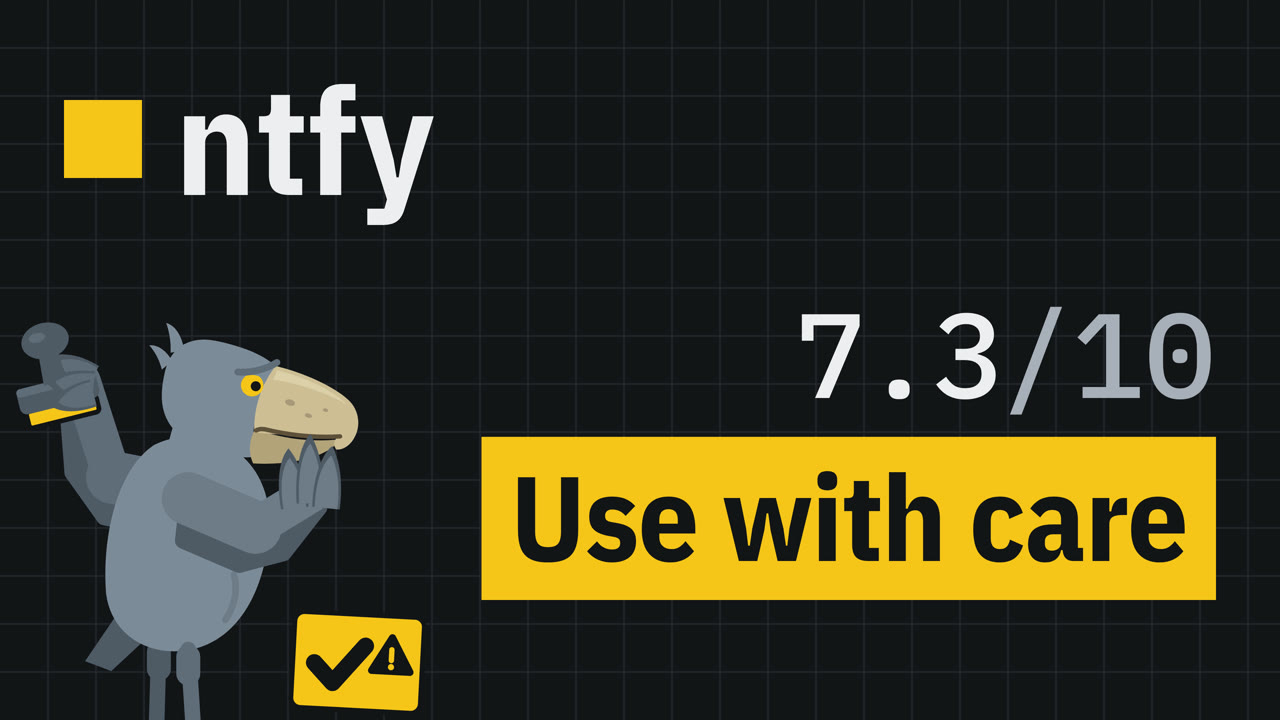
ntfy 2.30 review: six gates, 7.3 of 10, one SQLite setting
What we found
We tested ntfy 2.30.0, the self-hosted push notification server, in an isolated test VM through six gates, each scored 0 to 10 (Rubric 1.0). Gotify 3.1.1: same message rate (2 subscriber streams, not 20) and one throughput test, not scored.
Scores: Install 4, Resources 10, Real use 10, Resilience 6, Health 8, Security 6. Overall 7.3: Use with care; two caps would hold it there even at 8.0 or more (open by default; a machine crash can lose a confirmed message).
What we found:
- Install: the install page's Compose example maps a cache folder but never turns the cache file on (an earlier docker run example does), so messages vanish on restart (-4); with a non-root user the two mounted folders were owned by root and needed a new owner; the page's chown note lists files, not these folders (-2).
- Resources (load generators exempt from the rate limit): idle 17.6 MB; steady load (10 topics x 2 subscribers, 5 messages a second, 10 min): peak 24.6 MB, 0 of 6,000 deliveries lost. With the cache file on and no tuning it saturated at about 440 messages a second on our VM.
- Real use: backup alerts, a private server with a second user, attachments and reminders all passed.
- Resilience (cache file on): kill mid-write (5 runs) lost no confirmed message; an upgrade from 2.14.0 kept 5,000 of 5,000 messages; data sits in a plain SQLite file. After a machine crash with no time to sync, in the middle of a stream of messages, the server's copy of the last confirmed message was gone in 7 of 10 runs. With one SQLite setting, 0 of 10 crashes lost a confirmed message (short runs, one script sending); it reaches only ntfy's first database connection, so on a server that keeps running, later writes can skip it. No documented backup and restore.
- Health (12 months): 138 of 289 issues got a maintainer reply, after a median of 0.6 days; 19 releases; one author made at least half of the commits (chip: Solo).
- Security: open to anyone by default (documented); non-root once you fill in the install page's user line; in 24 hours, with a test message every 10 minutes, it contacted nothing on the internet; no two-factor or OIDC login; one advisory in two years, fixed in 2.22.0 before it was published (the records disagree on its severity; the video shows both).
- Caveats: the web app says browser notifications need HTTPS; default rate limit: 60 quick requests per IPv4 address or IPv6 /64, then one every 5 seconds; attachment links open without credentials even with deny-all (by design, says the maintainer), for 3 hours by default; with ten requests at a time from one client, 11 of 8,000 valid-token requests got a 403 (one at a time: 0 of 4,000).
For: scripts and alerts for yourself or a small team, with HTTPS, deny-all access, a cache file and that one SQLite setting (limits above). Skip it if you need instant iPhone push with no outside server.
Lab: isolated test VM, Debian 13, 4 vCPU, 7.8 GiB usable RAM. Tested 2026-10-12 to 14. Not affiliated with ntfy, Gotify or SQLite. Synthetic (AI) narration.
Chapters
- 0:00 ntfy review intro
- 0:38 What ntfy is
- 1:27 ntfy install
- 3:58 ntfy RAM usage and load test
- 5:54 ntfy use cases
- 7:21 ntfy crash test and upgrade
- 9:50 ntfy maintenance and GitHub stars
- 10:36 ntfy issue tracker
- 10:51 ntfy security
- 12:18 ntfy vs Gotify
- 13:48 ntfy caveats
- 14:58 ntfy verdict
The full narration
What the video says, word for word, by chapter.
Cold open
If the machine running your notification server crashes right after it says "got it", is your message still there? With ntfy's cache file on, we crashed the machine running it ten times mid-stream, with no time to save to disk.
In seven of those ten crashes... the last message it had confirmed was gone from the server.
In our test, with one script sending messages, one setting fixed it, with one catch.
Intro
This is OpenSourceVerdict. We test open-source tools in a lab and score them in six gates. Today: ntfy.
The tool
ntfy is an HTTP-based publish and subscribe notification service. A script sends a message to a topic with a plain HTTP PUT or POST, and whatever is subscribed to that topic receives it.
The server is one statically linked binary, with an official Docker image for amd64, armv6, armv7 and arm64.
It is dual licensed under Apache 2.0 and GPL version 2. It is for anyone who wants scripts and long-running jobs to send alerts without signing up anywhere.
It is not for you if you need instant iPhone push with no outside server: the docs say iOS makes that impossible. We tested version 2.30.0 on a clean test VM.
Gate 1: Install
Does it install the way the docs say?
We followed the install docs and used their Docker Compose example unchanged.
Before you start, a step the page leaves to you: the file uses the text UID colon GID as a placeholder for your own user and group IDs. Left as it is, Docker looks for a user called UID, finds none, and refuses to start the container. Putting in your real user and group IDs fixes it; deleting that optional line also works, but then it runs as root.
First problem: the page says the persistent cache needs the cache folder mapped, and the Compose example maps it, but never turns the cache file on. An earlier docker run example on the same page does turn it on. The configuration page says that by default, ntfy keeps messages in memory, so they do not survive a restart. In our test, we sent one message, restarted the container, and got zero messages back.
Second problem: with a non-root user, adding the cache file option sent the container into a restart loop. The mounted folders were owned by root.
It ran once we changed the owner of the folders; the docs' note below the example names the files and the attachments folder, not these.
The configuration page has a fuller Compose example, with the cache file, an admin account and attachments already set. Used exactly as written, it ran as root, started, and kept our test message across a restart.
But the same page gives that admin's password as mypass; the stored hash accepts phil, so every server that uses this example unchanged has the same admin login. If you use it, make your own hash: ntfy has a command for that.
On our VM, with no images cached, the first working screen took about three seconds, download included.
Behind a Caddy reverse proxy, set up with the docs' own example and the proxy settings they ask for, publishing, live subscriptions, the WebSocket handshake and attachment links all worked.
Our rubric does not count steps the install page gives for the method we test, like filling in your own user ID. It counts what the Compose example itself leaves out: the cache file, minus four, because without it messages silently vanish on a restart; and changing the folders' owner, minus two. Install scores four.
Gate 2: Resources
How much does it really use?
Idle, between minutes ten and fifteen after start, it used 17.6 megabytes of memory and no measurable CPU.
Then we ran a steady load for ten minutes: ten topics with two subscribers each, five messages a second in all. Our load generator was exempt from the rate limit. Memory peaked at 24.6 megabytes.
All 6,000 deliveries arrived, two per message; none were lost. The median time from publish to subscriber was 0.57 milliseconds, with both on the same machine.
Then we kept raising the load until it could not keep up. On our test VM, with the cache file on and no tuning, ntfy saturated at about 440 messages per second, nearly ninety times our steady load. Past that, requests queued: with up to 3,000 open at once in our test, the median one took over six seconds. Near the end of the ramp, almost no request got an answer for about twenty seconds, so thousands ran past our ten-second timeout. Then answers came back; we did not look into why they stopped.
The docs note that the cache file, untuned, syncs to disk on every write, and they show the tuning ntfy.sh once used. For personal servers, the docs call the untuned cache perfectly adequate.
With that tuning, our two-generator load test went from about 440 to over 10,400 messages per second, and both generators were maxed out. That tuning also makes ntfy write in batches, so it confirms a message before saving it. SQLite's docs add that with this tuning's write-ahead log, recent writes can roll back after a power cut, and we did not crash-test any of it.
No errors at the steady load and a limit far above it: resources score ten.
Gate 3: Real use
Does it hold up in daily use?
Use case one: a backup job reports in. Each message is one HTTP request with a title, a priority, tags and markdown.
The message appears in the web app with its tag icon and bold text.
Use case two: a private server. By default, ntfy is open: everyone can read and write to any topic.
We set default access to deny-all, then created an admin, a user for the backup host, and read-write access for that user on one topic. Publishing without credentials returned 403. Publishing with the user's token returned 200.
A second user could not read or write the first user's topic, but could use her own.
The docs say a token grants full access to its user's account, apart from changing the password or deleting the account. So keep tokens as safe as passwords.
Use case three: a nightly report and a reminder.
The job attaches its report file to a message.
Uploading attachments to the server only works after you set a base URL and a place to store them.
In a run of ten reminders scheduled thirty seconds ahead, they arrived in batches ten seconds apart, up to about nine seconds late.
All three use cases passed every check, so real use scores ten.
Gate 4: Resilience
What survives a crash?
With the cache file on, we killed the container in the middle of a stream of messages, five times, and nothing it had confirmed was lost.
We upgraded from version 2.14, the release that was current a year earlier, to 2.30 with five thousand messages stored, and all five thousand were still there.
The docs describe no way to back up and restore the server.
With the cache file on, the messages sit in a plain SQLite file that we could read with ntfy switched off, so your data is not locked in.
Then we crashed the whole machine with no time to sync, ten times in two series.
In seven of the ten crashes, the server's copy of the last message ntfy had confirmed was gone. ntfy hands a message to connected subscribers before saving it, so this loss hits devices that fetch messages later, like a phone that was offline.
Why? ntfy's cache file is SQLite, and SQLite documents this. In SQLite's default mode, and in the one ntfy uses, a transaction committed right before a power loss can be rolled back, depending on the file system. In the mode ntfy uses, SQLite also warns of a very small chance that a power failure corrupts the database on older file systems.
We also checked our lab: a small test program writing to SQLite with its strictest setting went through five crashes of the same kind and lost nothing.
The fix we tested is one setting: cache-startup-queries set to "pragma synchronous equals extra".
With the fix, and one script sending messages, we crashed the machine ten more times; nothing it had confirmed was lost. One caveat from ntfy's code: the setting covers only its first connection to the database, and ntfy can open more. Any read during a write can make ntfy open another connection: a phone, a script, or its own check for scheduled messages every ten seconds. Those connections keep the setting that lost messages in our crash test, and later writes can use them. Our crash runs could not show this: each crash came about four seconds after ntfy started, before its own ten-second check had run even once. We did not measure what that setting costs in speed.
Three of five checks passed, so resilience scores six.
Gate 5: Health
Is anyone home?
In the twelve months before our test day, 289 issues were opened. Maintainers replied to 138 of the 289; for those, the median first reply came after 0.6 days. Closed issues took a median of 7.3 days, and about 150 of the 289 are still open. There were 19 releases, a median of 16 days apart. The weak spot: one author made at least half of the commits.
The project has about 34,800 GitHub stars: a popularity signal, so we show it but never score it.
Four of five health metrics rated good, so health scores eight.
From the issue tracker
One more thing from the issue tracker.
The most upvoted issue opened in those twelve months asks for user login through OIDC. It had 97 thumbs-up, and it was still open when we checked. Remember that one at gate six.
Gate 6: Security
Is it safe to run?
Out of the box, anyone who can reach the server can publish to and read any topic. The docs say so, but it fails our secure-by-default check.
With the install page's user line filled in, the container runs as a non-root user, with no extra privileges.
In 24 hours, with a test message every ten minutes, it contacted nothing on the internet.
There is no two-factor login, and no OIDC login, the feature that issue asks for.
In the last two years, one advisory was published; when we checked, GitHub still listed it as critical code execution. Its CVE record was later rewritten: it now describes a request forgery bug in web push, not code execution. MITRE, which issued the CVE, now scores it medium: 6.4 out of 10. A CISA score added before the rewrite still said critical. Version 2.22.0 fixed it, two days before the advisory came out. Since then, the release notes list at least six more security fixes. Security reports go to a private address.
Three of five checks passed, so security scores six. Being open by default, and losing a confirmed message in a machine crash, would each hold the verdict at "use with care", even with a higher average.
Alternatives
We also ran Gotify 3.1.1 at the same message rate, over two subscriber streams instead of twenty, and through a one-generator throughput test. Gotify has no topics: applications send, and each user's clients receive what that user's applications send.
Gotify used less memory: 8.3 megabytes idle against 17.6 for ntfy, and 13.1 at peak with its two streams, against 24.6 for ntfy with twenty. ntfy hands a message to subscribers before saving it; Gotify saves it first. So subscribers got ntfy's messages sooner: a median of 0.57 milliseconds, against 2.7 for Gotify. But Gotify confirmed to the sender sooner: a median of 2.8 milliseconds, against 3.5 for ntfy. In these load tests, neither one lost a message; we did not crash-test Gotify. With both writing to SQLite and one load generator each, Gotify handled about 600 messages per second. In that same one-generator test, ntfy handled about 430 before tuning, close to the 440 where it saturated in gate two.
In the same twelve months, Gotify's maintainers replied to 61 of the 78 issues opened, after a median of 0.1 days, and it had 6 releases; there too, one author made at least half of the commits.
Caveats
Over plain HTTP, the web app says browsers only allow its notifications over HTTPS.
The docs also tell you to use HTTPS so that passwords are not exposed.
By default, each IPv4 address, or each IPv6 /64 network, gets 60 quick requests, then one every five seconds.
One surprise: on our private server, attachment links opened without credentials, even though the topic itself returned 403. The maintainer has said this is by design: the link's random message ID works as its password.
So anyone who gets the link can download the file until it expires, three hours by default.
And when one client sent requests in parallel, valid tokens were sometimes refused. With ten requests at a time, 11 of 8,000 got a 403; sent one at a time, all 4,000 passed. A race the maintainer described in an issue open since 2024 could explain it; version 2.29.0 fixed one symptom of that race, not the race itself.
Verdict
Resources and real use: two perfect tens. Health, eight. Resilience and security, six each. And install, the gate it stumbled on: four. On average, ntfy lands at 7.3 out of ten, and the verdict is: use with care. In our test, resources cost no points; most of the points it lost were in its defaults and its docs. If you run scripts and alerts for yourself or a small team, it fits, with HTTPS, deny-all access, a cache file and that one SQLite setting. We only tested that setting in short runs; on a server that keeps running, later writes can skip it. If you need instant iPhone push with no outside server, skip it.
Outro
That's the verdict on ntfy. We read the docs. Then we measured.
Sources
Snapshots of 2026-10-12 to 14, pinned to the commit we tested.
- advisory databases:
- https://github.com/advisories/GHSA-pqhx-w72w-m393
- https://nvd.nist.gov/vuln/detail/CVE-2026-39087
- https://osv.dev/vulnerability/GO-2026-5551
- https://www.cve.org/CVERecord?id=CVE-2026-39087
- binwiederhier/ntfy, as of commit 6377b28: https://github.com/binwiederhier/ntfy/tree/6377b28
- https://ntfy.sh/docs/config/
- https://ntfy.sh/docs/
- https://ntfy.sh/docs/install/
- https://ntfy.sh/docs/publish/
- https://ntfy.sh/docs/subscribe/api/
- Files: docs/releases.md, README.md, LICENSE, LICENSE.GPLv2, SECURITY.md, Dockerfile, go.mod, message/cache_sqlite.go, message/cache_sqlite_schema.go, message/cache.go, server/server.go, server/server_auth.go, db/db.go, server/config.go
- go.dev:
- https://pkg.go.dev/database/sql#DB
- mattn/go-sqlite3, as of commit b0be46f: https://github.com/mattn/go-sqlite3/tree/b0be46f
- Files: sqlite3.go
- gotify/server, as of commit e6361ca: https://github.com/gotify/server/tree/e6361ca
- Files: api/message.go
- gotify/website, as of commit 9a0af61: https://github.com/gotify/website/tree/9a0af61
- https://gotify.net/docs/config/
- https://gotify.net/docs/pushmsg/
- https://gotify.net/docs/
- binwiederhier/ntfy:
- https://github.com/binwiederhier/ntfy/issues/1051
- https://github.com/binwiederhier/ntfy/issues/1529
- https://github.com/binwiederhier/ntfy/issues/1596
- arXiv:
- https://arxiv.org/abs/2412.13459
- sqlite.org:
- https://sqlite.org/pragma.html#pragma_synchronous
How this was checked
130 claims, each checked against its cited source by a verifier that did not write them; every number recomputed from the raw lab data by a second verifier. How we test: the method.
Corrections
None so far. Found a mistake? Tell us.